
 Madison Parker
 Jake Lawson
Key Takeaway: Choosing the best live TV streaming service can be confusing, so this guide compares leading options like YouTube TV, Hulu, and Sling on price, channels, reliability, and ease of use, helping you match the right IPTV solution to your viewing habits and budget.
Are you tired of buffering screens, missing channels, and surprise price hikes every time you try to relax with live TV? Low-quality, unverified services often bring unstable streams, sudden shutdowns, poor picture quality, confusing interfaces, weak customer support, and even privacy risks. The result is frustration instead of entertainment. When you choose reputable, legally compliant platforms, you get smoother streaming, clearer images, predictable costs, and features that make watching live TV feel simple again. That is when every game, show, and movie finally feels enjoyable.
Why You Can Trust BestIPTVFinder
This ranking focuses on legitimate, widely used live TV IPTV services that have been checked in real viewing conditions. We independently compare features, pricing, and long-term performance, so you can choose with confidence. Every option here is:
✅ Tested on multiple devices, including smart TVs, phones, and streaming sticks
✅ Evaluated for channel depth, live sports coverage, DVR, and ease of use
✅ Monitored for reliability, billing transparency, and honest user feedback over time
We do not promote unknown or 100 percent free IPTV apps, since they often rely on questionable sources and may expose you to copyright or security risks.
📊 160+ IPTV services tested
⏱️ 2,400+ hours of research and testing
📚 15+ detailed IPTV guides and reviews checked
Disclaimer: This article is for educational purposes only. BestIPTVfinder does not own, operate, host, sell, or distribute any video streaming websites, applications, IPTV services, or add-ons. Some of the services mentioned may not be verified, and we cannot confirm whether they possess the necessary legal licenses to distribute their content. We do not verify the legality of each app or service in all jurisdictions. It is your responsibility to perform your own due diligence before using any unverified services. Always ensure that you are streaming content that is publicly available. The end user is solely responsible for all media accessed through such platforms.
Best Live TV streaming services: Quick Comparison
| Service | Cloud DVR | Simultaneous streams | 4K availability | Free Trial | Link |
| YouTube TV | Unlimited DVR space | 3 (Unlimited at home with 4K Plus) | 4K on select content via 4K Plus | Try 10 Days for $0 | Get Started |
| Hulu + Live TV | Unlimited DVR | 2 (Unlimited Screens add-on available at $9.99/mo ) | Limited 4K live; 4K on some on-demand | 3-Day free trial | Get Started |
| Sling TV | 50 hrs free or Unlimited DVR +$5/mo (9-mo retention) | Orange 1, Blue 3 (Combo rules depend on channel) | Occasional 4K events; varies | No free trial | Get Started |
| Fubo | Unlimited (9-mo retention) | Up to 10 at home (+3 away) | Select live events in 4K on eligible plans | 5-Day free trial | Get Started |
List of Best Live TV Streaming Services
1) YouTube TV
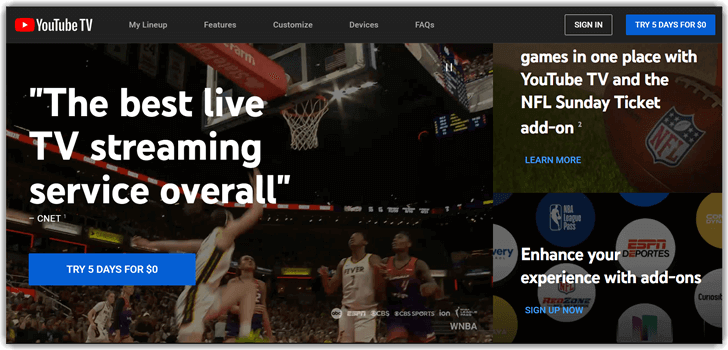
YouTube TV has consistently stood out as a top contender among the best IPTV service providers thanks to its comprehensive channel assortment, especially for local programs and live sports. I found YouTube TV’s cloud DVR one of the best in the business, offering unlimited storage that allowed me to watch and re-watch my favorite shows without worrying about space. Streaming quality was consistently excellent on all devices I tested, including Fire TV and mobile apps. Its intuitive interface and helpful customer support made it a user-friendly service, ideal for cord-cutters wanting a seamless cable replacement experience.
Pricing:
| Free trial | 1 month |
| Try 10 Days for $0 | $72.99/mo for your first 3 months: Note: $82.99/mo thereafter for YouTube TV Base Plan. |
Features:
- Personalized Recommendations: YouTube TV offers tailored content suggestions based on user preferences and viewing history.
- Voice Search Integration: Supports voice commands through Google Assistant on compatible devices for easy content discovery.
- Family Sharing: Multiple user accounts with custom DVR libraries and watchlists under one subscription.
- Cloud Syncing: Watch progress syncs across devices, so users can pick up exactly where they left off.
- Smart TV Integration: I received smooth integration with smart TV platforms, including Roku, Apple TV, and Android TV.
- Parental Controls: User-friendly parental controls allow restrictions on content and channel access to protect kids.
Pros
- I could access live TV and on-demand shows with excellent reliability
- YouTube TV offered me unlimited DVR storage to record my favorite programs
- I benefited from using its intuitive interface across mobile and smart TVs
Cons
- I experienced a delayed response using the fast-forward button when streaming recorded content.
- Premium add-ons increased the total price significantly for the package
Why it stands out
Big channel lineup with strong locals, excellent cloud DVR, straightforward app, and useful sports features like Multiview. Base plan allows 3 streams; 4K Plus unlocks unlimited at-home streams and 4K playback on supported content. Recordings are kept for 9 months. Standard price $82.99/mo (promos may reduce initial months).
Link: https://tv.youtube.com/welcome/
2) Hulu
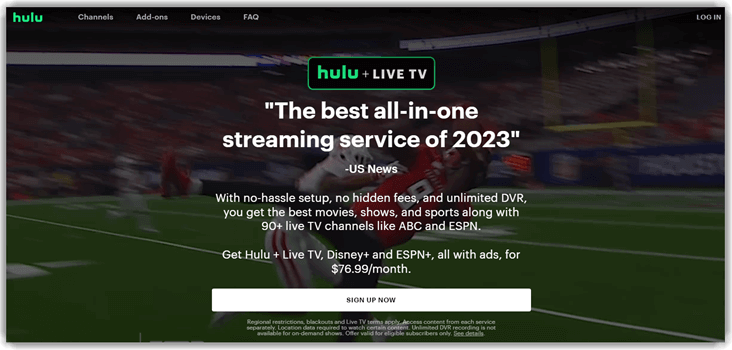
Hulu has become a staple in the best IPTV service providers category, thanks to its impressive blend of broad channel coverage and user-friendly features. One standout feature is the unlimited cloud DVR, which lets you record as many shows as you want and watch them at your convenience. The streaming quality is consistently sharp across devices, whether on a Fire TV, smartphone, or smart TV, making it a reliable choice for households with multiple viewing preferences. Hulu also excels in local channel availability and sports coverage, ensuring you can stay connected to community programming and catch your favorite games without interruption.
Adding to its appeal, Hulu offers a free trial period, giving new users a chance to test the platform risk-free. Combined with its adequate customer support, Hulu delivers a flexible, dependable, and high-quality streaming experience for cord-cutters seeking a balance of variety and convenience.
Pricing:
| Free trial | Hulu, Live TV, Disney+, and ESPN Select | Hulu Premium, Disney+ Premium, and ESPN Select |
| 3-day free trial, after $89.99/month | $89.99/mo | $99.99/mo |
Features:
- Channel Lineup: It offers an impressive variety, including national, international, and robust local channel coverage.
- Unlimited Cloud DVR: This feature allowed me to record without limits and access content on my own schedule.
- Sports Broadcasting: It shines with comprehensive live sports broadcasts across major leagues in crisp HD.
- Video Quality: Its consistent HD and select 4K streams delivered a premium viewing experience without buffering.
- Multi-Device Compatibility: Hulu Live TV works flawlessly across devices like Roku, Fire TV, Apple TV, and smartphones
- Simultaneous Streams: I could stream on up to 2 devices simultaneously, making it convenient for different family members’ entertainment demands.
- User Interface: The intuitive UI made searching for content and managing recordings simple and effective.
Pros
- It helped me access both local networks and premium cable channels
- Provided me with bundles like Hulu originals, Disney+, and ESPN+
- It allowed me to stream on multiple devices at the same time
Cons
- I was interrupted with ads even on some of the on-demand content
- Navigation felt slower when switching between live channels and on-demand
Why it stands out
Hulu bundles Live TV with Disney+ and ESPN Select, includes Unlimited DVR at no extra cost, and gets ~95+ channels depending on location. Base plan typically supports 2 simultaneous streams; Unlimited Screens add-on lets you watch on unlimited devices at home (+ up to 3 on the go). Pricing currently $89.99–$99.99/mo depending on ad tier, with periodic promos.
Link: https://www.hulu.com/live-tv
3) Sling
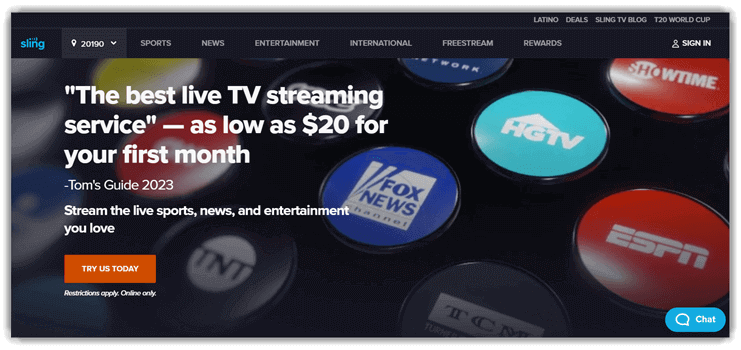
Sling TV impressed me with its flexible and affordable plans designed to fit different viewing preferences. I liked how the Orange and Blue packages offered different channel lineups, letting me customize my IPTV subscription by combining them or choosing one. Sports coverage is reliable, and the video quality was excellent across the devices that I tested. Although DVR storage is limited, it still provides me with enough space to record key shows. It supports several streaming devices, and the free trial made it easy for me to try and adopt Sling TV for testing its performance.
Pricing:
| Orange & Blue | Orange | Blue |
| $29.99/mo | $45.99/mo | $45.99/mo |
Features:
- On-Demand Library: You get a wide range of movies and shows available for streaming at any time.
- Cloud DVR with Expansions: I was highly impressed that its base 50-hour cloud DVR can be expanded up to 200 hours with add-ons.
- Multi-User Profiles: It allows you to create separate profiles for personalized watchlists and recommendations within the same account.
- Parental Controls: It has robust features to restrict content access, ensuring family-friendly streaming environments.
- Voice Control Support: Sling TV is compatible with Alexa and Google Assistant for convenient voice-command control on supported devices.
- Customizable Interface: Users can personalize the home screen and channel favorites for quicker navigation.
- Regional Sports Coverage: It includes regional sports networks tailored to the user’s location for localized game viewing.
- Watchlist & Reminders: This live TV service enabled me to save content to watch later and set reminders for live shows.
Pros
- I could access affordable live TV packages tailored to my preferences
- Sling offered me customizable channel lineups that fit my household’s needs
- I benefited from using its compatibility across Roku, Firestick, and mobile apps
Cons
- I received fewer local channels compared to other IPTV providers
- The trial period was shorter, making it harder to thoroughly test
Why it stands out
Slight TV offers some of the most affordable modular channel packs. Orange favors ESPN; Blue favors FOX/NBC news/sports. Unlimited DVR is available for $5/mo (otherwise 50 hours free). Streams: Orange, Blue; with Orange + Blue, stream limits depend on the channel you’re watching. Pricing: $45.99 (Orange or Blue) or $60.99+ for both (some markets add ~$5). Short-term “Day/Weekend/Week” passes also exist.
Link: https://www.sling.com/
4) Fubo
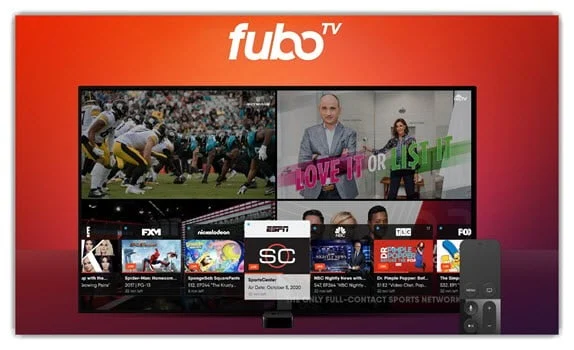
Fubo has consistently impressed me as a leading IPTV service provider, especially for sports enthusiasts. I found its extensive channel lineup covering national, local, and international content very comprehensive. The high-quality 4K streaming brought clarity to live sports and entertainment shows, enhancing my viewing experience. Its cloud DVR functionality allowed me to record favorite programs conveniently, while multiple simultaneous streams supported viewing across various devices in my household. The available free trial and responsive customer support made the onboarding and usage smooth and risk-free, solidifying its place as one of the best IPTV choices today.
Pricing:
| Sports + News | Pro | Elite | Latino |
| $45.99 for the first month | $54.99 for the first month | $64.99 for the first month | $9.99 for the first month |
Features:
- Channel Variety: Fubo offers a broad selection of channels, including strong local, national, and international choices.
- Sports Coverage: I received exceptional live sports programming from the NBA, NFL, MLB, NHL, soccer leagues worldwide, and niche sports.
- 4K Streaming: You get selected content streams in 4K UHD, providing crystal-clear visuals, especially beneficial for sports events.
- Cloud DVR: Ample DVR storage with 250 hours standard, enabling recording and replaying of live TV shows.
- Multi-Stream Support: Supports up to 10 simultaneous streams, ideal for multiple viewers in households.
- Device Compatibility: Works on all major platforms, including mobile, smart TVs, gaming consoles, and streaming devices.
- Video Quality: I received consistent HD and 4K streaming, and it delivered smooth and immersive viewing experiences.
Pros
- It helped me access news, entertainment, and lifestyle channels seamlessly
- Provided me with a cloud DVR with generous storage for recording favorite shows
- It allowed me to stream multiple devices simultaneously under one account
Cons
- The channel lineup changes disrupted my viewing consistency
- Premium add-ons raised the overall cost of my subscription
Why it stands out
Its sports-first DNA, generous simultaneous streams (up to 10 on home network + 3 away), and unlimited DVR with 9-month retention are standout features. You get premium events in 4K on eligible plans. Pricing plans start at $55.99 with 29 Channels, including ESPN, ABC, CBS, FOX, and NBC, with add-ons varying by market.
Link: https://www.fubo.tv/welcome
What is live streaming?
Live streaming is a video that plays in real time over the internet. With the best live TV streaming services, this feels similar to watching traditional cable. You open the app, choose a channel, and the show starts from the point it is currently airing. There is usually a short delay of a few seconds, but it is still “live” for news, sports, and special events.
Unlike downloaded or on-demand videos, live streaming does not store the full program on your device first. The service sends you a continuous stream of small data packets. Your device plays them as they arrive. This is why a stable internet connection matters so much.
I see live streaming as a flexible version of cable TV that runs over broadband instead of a coaxial wire. Many services now add cloud DVR, so you can record live shows without a physical box. Some also include features like pause, rewind, and restart for many channels. Together, these tools make live TV streaming a practical option for everyday viewing, not just significant events.
What to look for in a live TV streaming service
Choosing the best live TV streaming service is about more than price. It is about how well the service fits your daily watching habits. I always start by matching the service to the channels and features people actually use, not the ones that just look good in a long list.
Key things to check:
- Channel lineup
Make sure it includes your favorite news, sports, entertainment, and kids’ channels. Missing one crucial local or sports network can make a “great deal” feel frustrating. - Cloud DVR and playback
Check how many hours of recording you get. See if you can pause, rewind, and fast forward on recordings. This decides how flexible your viewing really feels. - Device support and streams
Confirm the app works on your smart TV, streaming stick, phone, and tablet. Look at how many devices can stream at the same time for family viewing. - Ease of use
A clean guide, intelligent search, and clear categories help you find something to watch faster. My rule is simple. If it feels confusing on day one, it rarely improves. - Real monthly cost
Add up the base plan, add-on packs, taxes, and any sports fees. Compare that total to your current cable bill to see the actual value.
How are live TV streaming services different from services like Netflix and Amazon Prime Video?
Live TV streaming services focus on real-time channels. Netflix and Amazon Prime Video focus on the on-demand libraries. With live TV streaming, you subscribe to a bundle of channels such as news, sports, and entertainment. You watch what is airing right now, then often use cloud DVR to catch what you missed.
Netflix and Prime Video work more like digital libraries. You browse shows and movies and press play whenever you want. There is no fixed schedule. These platforms may offer live content sometimes, but it is not their primary purpose.
Live TV streaming also mirrors cable more closely in pricing and structure. You pay monthly for a channel package and sometimes for add-ons such as sports or premium networks. Netflix and Prime Video usually charge a single fee for access to their whole catalog.
If you care about live sports, breaking news, or award shows, live TV streaming is usually the better fit. If you mostly binge series and movies, on-demand services can be enough, or you might combine both.
Can I watch live TV streaming services while traveling?
Yes, in most cases, you can watch live TV streaming services while traveling, but there are some limits. Almost every major provider has apps for phones, tablets, and laptops. As long as you can sign in and have a strong internet connection, you can usually watch live channels and recordings.
Is live TV streaming cheaper than cable?
Live TV streaming is often cheaper than cable, but not always. Many leading services sit in a price range that roughly matches mid-tier cable packages. The difference is that streaming can reduce or remove some standard fees. There is usually no equipment rental, installation charge, or long-term contract.
However, you still need home internet. If you upgrade to a faster plan mainly for streaming, that cost becomes part of the picture. Add-on packs for sports and premium channels can also raise the bill. When you stack several services together, the total can get close to or even above cable.
The most significant savings often come from flexibility. You can cancel and restart month to month. That means you can keep a sports-heavy plan only during the season, then drop to a cheaper option later.
To know if it is cheaper for you, compare your full cable bill, including taxes and fees, with a realistic streaming setup. Do not forget internet costs, extra channel packs, and any other subscriptions you plan to keep.
Verdict:
In this review, you have seen how leading live TV platforms compare, and I am now ready to share a verdict grounded in real viewing needs.
- YouTube TV: Popular all-rounder with 100-plus channels, strong sports coverage, unlimited DVR, and a user-friendly interface that feels robust and responsive.
- Hulu + Live TV: Comprehensive choice that combines live channels with a deep on-demand library from Hulu, Disney+, and ESPN.
- Sling TV: Cost-effective, customizable pick that drops some local channels yet remains a reliable option for budget-conscious viewers.
FAQs
What is the best live TV streaming service?
The “best” live TV streaming service depends on your needs. For overall value and channel variety, YouTube TV and Hulu + Live TV are top picks. Sports fans often prefer YouTube TV or Fubo. Budget-conscious users lean toward Sling TV or Philo, which offer cheaper, slimmer channel bundles.
Can you stream live football on YouTube?
Yes. With a YouTube TV subscription, you can stream live NFL, college football, and other leagues via major sports networks, plus NFL Sunday Ticket in select regions. On regular YouTube, some official channels occasionally stream matches, highlights, or watch-along shows, but consistent full live games usually require YouTube TV.
How do live TV streaming services differ from cable or satellite?
Live TV streaming services deliver channels over the internet instead of through a cable box or satellite dish. You typically pay month-to-month, can cancel anytime, and watch on phones, TVs, or laptops. Packages are more flexible, but you’ll rely on a strong internet connection and may miss some regional or niche channels.
What internet speed do I need for smooth live TV streaming?
For smooth live TV streaming, most people should aim for at least 10 Mbps per stream in HD and 25 Mbps or more for 4K, plus extra bandwidth for other devices. Use wired Ethernet or strong Wi-Fi when possible, and avoid heavy downloads or gaming during big games or live events.
How many devices can stream at the same time on one account?
Simultaneous streams depend on the service and plan. Many live TV platforms allow 2–3 devices at once by default, with optional upgrades for more. Some count DVR recordings or out-of-home viewing differently. Always check each service’s “simultaneous streams” policy if you have a large household, multiple roommates, or share accounts
Do live TV streaming services offer free trials?
Yes, most live TV streaming services offer free trials or introductory discounts, but the length and terms vary. Trials typically last 3–7 days and may require a payment method up front. Mark your calendar to cancel if you’re not satisfied, and compare promos for bundles, add-ons, or student and seasonal offers.
Do these services support 4K or HDR streaming?
Many live TV streaming services support 4K or HDR for select channels, major sports, or on-demand content, but not every program qualifies. You’ll need a 4K-capable device, a compatible TV, and fast, stable internet. Some providers charge extra for 4K tiers, so check availability and fine print before upgrading your plan.
Which service has the best DVR?
YouTube TV, Hulu + Live TV, and Fubo include unlimited cloud DVR; YouTube TV and Fubo keep recordings for 9 months. Sling offers Unlimited DVR for $5/mo (9-month retention).
Which is cheapest?
Sling (from $45.99) is the most budget-friendly; YouTube TV is $82.99; Hulu + Live TV is typically $89.99–$99.99; Fubo is around $64.99 with 4K. Promos often lower intro months.
I have a lot of TVs. Who handles streams best?
Fubo supports up to 10 at-home (+3 away) streams. YouTube TV offers 3 by default; add 4K Plus for unlimited at home. Hulu is 2 by default (Unlimited Screens add-on available). Sling is 1–3, depending on Orange/Blue.