 Jennifer Williams
 John Valencia




What is IPTV?
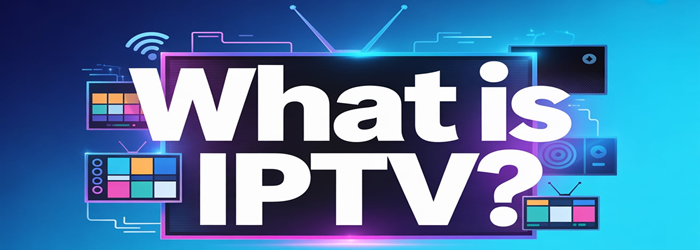
IPTV stands for Internet Protocol Television. It delivers TV content through an internet connection instead of traditional cable or satellite services. This approach gives viewers more control over how they watch shows and movies. I find that many beginners appreciate IPTV because it feels similar to streaming platforms they already use.
IPTV sends video content through a managed network. This improves stability compared to random online streams. It also offers features that older TV formats struggle to match.
Key qualities of IPTV
- Flexible viewing: You can watch programs on TVs, phones, tablets, or computers.
- Better control: Pause, rewind, or play content anytime if the service supports it.
- Wide variety: Many IPTV providers offer live channels, on-demand libraries, and special-interest content.
- Efficient delivery: The system uses internet protocols that help maintain quality. This keeps the video smooth when the connection is strong.
What is IPTV used for?
IPTV is used to deliver television and video content through an internet connection instead of traditional cable or satellite. It allows viewers to watch shows, movies, and live channels in a flexible and more controlled way. I often describe IPTV as a modern approach that matches today’s on-demand habits. It fits people who want simple access to content across different devices — see the best IPTV providers.
IPTV is widely used for:
- Live TV streaming: People watch news, sports, and entertainment channels in real time through IPTV platforms.
- Video on Demand: Users choose movies or episodes whenever they want. This gives a smoother experience because the viewer controls the pace.
- Catch-up TV: Missed a show? IPTV services often store recent broadcasts so viewers can play them later.
- Multi-device viewing: Smartphones, smart TVs, tablets, and computers can all run IPTV apps. This helps homes where each person prefers a different screen.
- Interactive features: Some services offer pause, rewind, subtitles, and program guides that feel more personal than traditional TV.
How Does IPTV Work?
IPTV works by sending TV shows and videos through an internet connection instead of traditional cable or satellite signals. The process feels simple on the surface, yet several steps work together to deliver smooth streaming. I rely on this model when explaining IPTV to beginners because it breaks down the system into clear stages — compare the cheapest IPTV plans.
First, the content is gathered from broadcasters and media creators. It is then stored on secure servers. These servers compress the files to keep the streaming fast without losing noticeable quality.
Next, the content is sent to the viewer through a broadband connection. Your IPTV provider manages this distribution and ensures that each program reaches the right user at the right moment.
Here is a quick breakdown of what happens behind the scenes:
- Content Source: Channels and videos are collected and organized.
- Encoding: Files are converted into digital formats that stream easily.
- Middleware System: This manages your account, channel guide, and playback controls.
- Content Delivery Network: Streams are delivered efficiently to reduce buffering.
- IPTV Player or Device: You access everything through an IPTV player app or set-top box. I often remind users that choosing a stable device improves the viewing experience.
What are the Different Types of IPTV?
Understanding the types of IPTV helps you choose services that match your viewing habits. Over the years, I have seen how these formats shape the way people consume digital content. Each type serves a different purpose and offers a distinct experience.
1. Video on Demand (VOD): VOD lets you watch movies, shows, or tutorials whenever you want. There is no set broadcast time. It suits viewers who prefer flexible schedules. Many platforms update their libraries often, so you get fresh choices.
2. Live IPTV: Live Streaming IPTV delivers real-time broadcasts. It includes news, sports, and events as they happen. This type mirrors traditional TV but uses internet delivery. Viewers enjoy quick access and stable streams when the service is well optimized.
3. Time-Shifted IPTV: Time-shifted content helps viewers catch programs they missed. You can watch shows that aired recently without waiting for repeats. It works well for busy people like me who cannot follow strict broadcast timings.
4. Interactive IPTV: Interactive IPTV adds features such as polls, program guides, and on-screen controls. It enhances engagement and makes the viewing experience more personal.
How is IPTV Different from Traditional TV?
IPTV stands apart from traditional TV because it uses the internet to deliver content. This changes how people watch shows and channels. I often explain these differences to help viewers understand which option fits their routine. Traditional TV is familiar and stable. IPTV feels more flexible and modern. Both work, yet they serve different viewing habits.
| Feature | IPTV | Traditional TV |
| Delivery Method | Streams content through an internet connection. This supports smoother updates and more variety. | Uses cable or satellite signals that follow fixed broadcasting systems. |
| Content Control | Offers on-demand shows, catch-up TV, and live channels that you can watch at any time. | Follow the scheduled programs that you must watch at the set broadcast time. |
| Device Options | Works on smart TVs, phones, tablets, and computers, which adds convenience. | Needs cable boxes or satellite dishes that limit where you can watch. |
| Interactivity | Allows pause, rewind, and personalized recommendations, which improve user control. | Usually provides no interactive features beyond basic channel switching. |
| Viewing Flexibility | Lets you choose what to watch based on your mood or timing. | You follow the broadcaster’s schedule with less freedom. |
What are The Pros and Cons of IPTV?
IPTV offers a modern way to watch TV through the internet, but it also comes with some challenges. With more than three decades of experience in content creation, I often compare IPTV with traditional cable to help readers understand how it fits their needs.
Pros of IPTV
- Flexible viewing: IPTV gives you the freedom to watch shows on phones, tablets, smart TVs, or laptops. You are not tied to a cable box.
- On-demand access: You can watch movies, series, and recorded content whenever you want. This makes viewing more personal and convenient.
- Wide content choice: IPTV platforms often include global channels, niche categories, and interactive features that improve the experience.
- Better picture quality: Many IPTV services deliver HD or 4K content, as long as your internet is stable.
Cons of IPTV
- Internet dependency: IPTV needs a stable connection. Slow or unstable internet can cause buffering and reduce video quality. I notice this issue often when users have weak Wi-Fi.
- Service variations: Quality differs across providers. Some services may offer fewer channels or lack customer support.
- Potential compatibility issues: Older devices may not support IPTV apps or features.
Is IPTV Safe to Use?
IPTV can be safe to use, but it depends on the provider and the type of service you choose. Many trustworthy IPTV subscription services operate legally and offer proper licenses for the channels they stream. These platforms use secure servers and follow content distribution rules. I rely on clear signs of legitimacy when evaluating any IPTV option for myself or my clients.
However, there are unverified IPTV providers that stream channels without permission. These services may expose users to malware risks, unstable streams, and legal issues. Choosing the wrong provider can affect your device security and your data privacy.
Here are a few factors that help determine if an IPTV service is safe:
- Choose IPTV providers that clearly list licensing information.
- Prefer well-known brands that offer customer support and transparent pricing.
- Check if the service uses encryption to keep your connection protected.
- Avoid extremely cheap or unknown IPTV services. These often lack proper rights to stream content.
- Make sure your device has updated antivirus software.
What Do You Need to Use IPTV?
To use IPTV smoothly, you need a few essential tools that support steady streaming and clear picture quality. Most viewers begin with a strong internet connection. IPTV depends on stable bandwidth. Home users usually get better results with a wired connection, although strong WiFi also works well. I prefer at least 25 Mbps for HD streams because it keeps the viewing experience steady.
You also need a compatible device. Many people watch IPTV on smart TVs. Others use streaming boxes, such as Fire TV Stick, Apple TV, or Android TV devices. A smartphone or tablet also works if you want flexibility. Make sure the device supports the IPTV app or player you plan to use.
A reliable IPTV service or provider is another important part. Look for platforms that offer clear channels, responsive support, and legal content. My advice is to choose services that are known for stability and easy setup.
Below are the basic items you will need:
- A high-speed and stable internet connection
- A supported device, like a smart TV or streaming box
- An IPTV app or player
- A trustworthy IPTV service
- A router capable of handling steady streaming
How to Choose the Best IPTV Service Provider
Selecting the best IPTV service provider is easier when you know what to look for. I always start by checking the basics because a reliable IPTV service depends on strong technical performance and honest service policies. Many new users focus only on channel count. The better approach is to compare quality, stability, and long-term value.
A good IPTV provider should offer:
- Consistent streaming quality with minimal buffering
- Clear pricing with no hidden charges
- A balanced mix of channels, including live TV, sports, movies, and regional options
- Updated content libraries that stay relevant
- Responsive customer support through chat or email
I also check device compatibility because the best IPTV services work smoothly on smart TVs, phones, tablets, and streaming boxes. Look for providers that support multiple formats and apps. This gives you more freedom and avoids tech issues later.
It helps to read genuine user experiences to understand stability during peak hours. My preference is a service that offers a trial period. This lets you judge picture quality and reliability before committing.
Choosing the right provider is not about the biggest list of channels. It is about dependable performance, transparent policies, and features that truly fit your viewing habits. A little comparison ensures you pick an IPTV service that feels smooth, modern, and worth the cost.
Common IPTV Problems and How to Fix Them
Many IPTV users face similar issues. With my long experience in streaming setups, I know how frustrating these moments can be. Most problems are simple to fix once you know what to look for.
Problem: Buffering or Freezing
Solution: Buffering usually appears when the internet is slow or unstable. Restart your router and stop other devices from using heavy data. Switching to a wired connection often brings smoother streaming. You can also lower the video quality in the IPTV app for better stability.
Problem: Channels Not Loading
Solution: This happens when the playlist link expires or the server updates. Refresh your channel list or request a new link from your provider. Clearing the app cache or reinstalling the app usually restores channel access. I also check if the provider has shared new server details.
Problem: Audio and Video Out of Sync
Solution: Restart the app. If the issue continues, update your device software or switch to another media player that handles streaming more reliably.
Problem: App Crashing or Not Opening
Solution: Remove and reinstall the app. Free some storage space and update your device to improve performance.
Quick Fixes You Can Try:
- Restart the device and the router
- Update IPTV app
- Clear app cache
- Try a different media player
- Confirm the playlist link is active
FAQs
What is an IPTV Service?
An IPTV service delivers television content through Internet Protocol rather than cable or satellite. It streams live channels, on-demand movies, and TV shows using a stable internet connection. IPTV offers flexible viewing across multiple devices and often includes advanced features like time-shifted content, cloud DVR, and personalized recommendations.
Is IPTV Legal?
IPTV is legal when the provider has the proper rights to distribute channels and content. Licensed IPTV services operate under broadcasting regulations, similar to traditional TV platforms. Illegal IPTV streams distribute copyrighted material without permission, risking shutdowns, poor reliability, and legal consequences. Always choose verified, legitimate providers for safe viewing.
Is IPTV the Future of Television?
IPTV is increasingly seen as the future of television because it offers flexible, on-demand, and interactive viewing. With faster internet speeds and improved streaming technology, more users prefer IPTV over cable. Its ability to integrate apps, customization, and multi-device support makes IPTV a major driver of next-generation entertainment.
Are IPTV Services Available in All Countries?
IPTV services are available in most countries, but availability varies based on regional regulations and licensing. Some areas offer robust IPTV markets, while others limit or block unlicensed streams. Users can access IPTV as long as local laws permit it and their internet connection supports stable streaming quality.
What is an IPTV Box?
An IPTV box is a streaming device that connects to your TV and delivers IPTV content through the internet. It supports apps, live TV, and on-demand services while improving performance compared to basic smart TV apps. IPTV boxes offer smoother playback, better compatibility, and enhanced features for IPTV services.
Can IPTV Replace Cable or Satellite TV?
IPTV can replace cable or satellite for many users due to lower costs, larger content libraries, and multi-device support. It offers flexibility and on-demand options that traditional TV can’t match. However, it requires a reliable internet connection, and some regions may lack fully licensed IPTV alternatives.
Can I Use IPTV on Multiple Devices?
Yes, most IPTV services allow use on multiple devices such as TVs, smartphones, tablets, and streaming boxes. The number of simultaneous streams depends on the provider’s plan. Users can switch devices easily, making IPTV highly flexible for households wanting personalized viewing across different screens.
What’s the Difference Between IPTV Apps and IPTV Boxes?
IPTV apps are software-based solutions installed on smart TVs, phones, or tablets for streaming IPTV content. IPTV boxes are dedicated hardware devices offering stronger performance, better processing power, and broader compatibility. Apps offer convenience, while boxes provide smoother playback, advanced features, and improved network stability.