 Jennifer Williams
 John Valencia





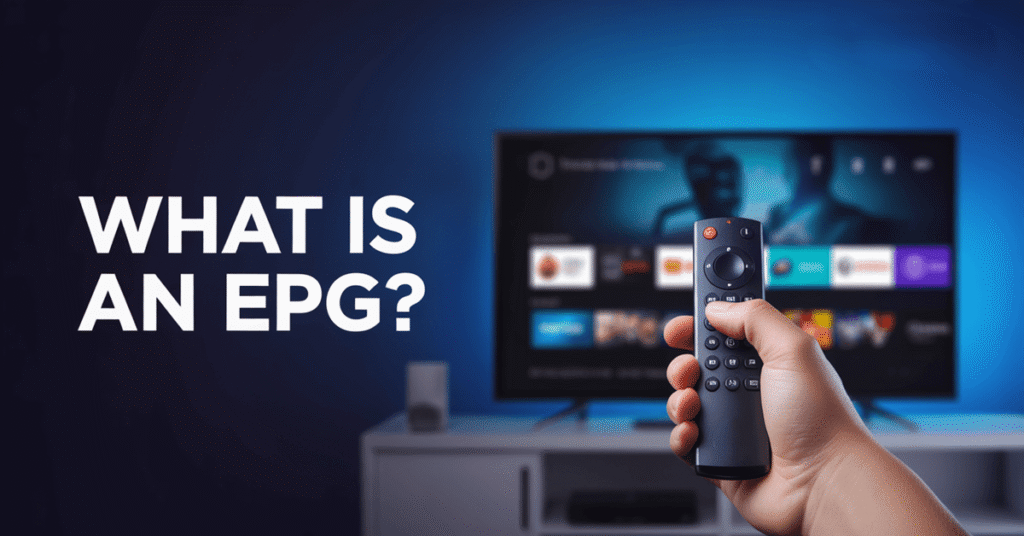
An EPG, or Electronic Program Guide, is a digital guide in IPTV that shows channel schedules, upcoming programs, timings, and program details in a straightforward interface. It helps viewers browse content easily instead of guessing what is currently streaming. Think of it as a modern TV guide built directly inside IPTV platforms. It improves user experience, supports smarter viewing decisions, and keeps streaming organized. EPG is essential because it helps both IPTV enthusiasts and professionals manage content more efficiently.
What is an EPG?
An EPG, also known as an Electronic Program Guide, is a built-in digital guide in IPTV that shows channel schedules, program timings, upcoming shows, and program details in an organized layout. Instead of switching channels blindly, viewers can see what is playing now, what comes next, and when a show will air. This guide works in real time and helps both IPTV users and industry professionals plan viewing more efficiently. EPG is a core feature because it makes IPTV more convenient and structured.
In simple terms, EPG is like a modern, smarter version of a TV guide directly inside your IPTV platform. It helps with quick navigation, supports better content discovery, and reduces confusion. Many IPTV services include features like program descriptions, genres, durations, reminder options, and sometimes artwork or metadata to improve understanding. For enthusiasts and professionals, an EPG also helps compare channels, manage favorite programs, and analyze viewing behavior. My goal is to help you understand that a good EPG is not just a visual tool. It plays a key role in improving user experience, boosting engagement, and making IPTV viewing smoother, more straightforward, and more enjoyable worldwide.
History & Evolution of EPGs
The history of Electronic Program Guides (EPGs) began as simple on-screen TV listings that replaced printed newspapers and teletext guides. Early digital TV systems offered basic schedules with limited information. Over time, technology improved, internet connectivity grew, and IPTV platforms needed more innovative ways to organize content. This led to more advanced EPG designs that supported real-time updates, richer program details, and better navigation. This evolution changed how viewers interact with television forever — see how IPTV works.
As IPTV expanded globally, EPGs evolved from static lists to interactive digital catalogs. Today’s EPGs offer detailed metadata, program summaries, channel grouping, time-shift support, catch-up TV integration, and even personalization features. Instead of only showing what is on air, modern EPGs help viewers discover content faster and manage their viewing experience more intelligently. Professionals and IPTV providers benefit as well because EPGs improve content organization, audience engagement, and service quality.
User behavior, design improvements, and more intelligent data processing also influence modern EPGs. Many platforms now support multi-device guides, visually appealing layouts, and global time compatibility. In simple terms, EPGs have grown from basic TV listings to powerful navigation tools that shape how IPTV is enjoyed today, making viewing smoother, brighter, and more structured.
How Does an EPG Work?
An EPG in IPTV works through a structured process that collects program data, organizes it, and delivers it to viewers in a clear format. Below is a simple step flow showing how an EPG functions smoothly from data collection to user experience — compare the best IPTV providers.
Step 1 – EPG Data Collection
The IPTV provider collects program schedule data from broadcasters or content sources. This includes channel names, show titles, timings, durations, categories, and sometimes images and descriptions. The data is usually stored in structured formats like XML or JSON so systems can read it easily.
Step 2 – Data Processing and Formatting
The IPTV platform processes this raw EPG data and converts it into a readable, organized structure. It sorts channels, aligns schedules, and prepares information for display. This step is essential because accuracy here ensures a smooth user experience.
Step 3 – EPG Upload to IPTV System
The processed EPG data is uploaded to the IPTV player. The system updates regularly, so users always see the latest schedules. Many platforms refresh data in real time or at set intervals to avoid outdated listings.
Step 4 – Displaying EPG to Users
When a user opens the IPTV player, the EPG appears as a grid or list. It shows what is airing now, what is next, and upcoming programs. Users can scroll, read details, and compare channels easily.
Step 5 – Interactive Viewing Experience
Modern EPGs support features like reminders, catch-up TV links, time shifting, and personalized recommendations. This makes IPTV viewing smarter, faster, and more convenient worldwide.
How is EPG Used?
An Electronic Program Guide (EPG) is used to make IPTV viewing smarter, faster, and more organized. It helps viewers see what is currently playing, what is coming next, and when specific programs will air. Users can quickly browse channels, compare shows, and decide what to watch without switching repeatedly. I find EPG extremely helpful because it simplifies navigation and improves viewing comfort.
Professionally, EPG is used by IPTV providers and broadcasters to manage schedules, enhance user engagement, and deliver structured viewing experiences. It supports features like catch-up TV, reminders, favorites, parental guidance, and time-based browsing. Many IPTV enthusiasts also use EPG to track international channels, follow live events, and plan entertainment easily.
EPGs are also useful for multi-device viewing. Whether you watch IPTV on a TV, smartphone, or streaming device, an EPG ensures consistent access to schedules and program details. In simple terms, EPG is used as a central guide that helps both viewers and IPTV professionals stay informed, organized, and better connected with their content.
What players support EPG?
Many IPTV players globally support Electronic Program Guides (EPGs) to display channel schedules and program details clearly. Popular options include TiviMate, IPTV Smarters, Perfect Player, GSE Smart IPTV, XCIPTV, Smart IPTV, and Kodi IPTV Add-ons. These players read EPG formats like XMLTV or JSON and present data in a clean timeline or list view. Most smart TVs, Android TV boxes, Firestick apps, and mobile IPTV players also support EPG integration. Many providers even include built-in EPG support in their official apps. This wide compatibility helps IPTV enthusiasts and professionals enjoy organized navigation, real-time schedules, and a smoother viewing experience.
Conclusion
EPG is an essential part of IPTV because it turns streaming from guesswork into a structured and informed experience. It helps viewers see what is on now, what is coming next, and when programs will air, making navigation simple and efficient. For IPTV enthusiasts and professionals, a reliable EPG improves planning, engagement, and overall satisfaction. As IPTV continues to grow worldwide, well-designed EPG systems will remain a key element of smooth and enjoyable viewing.
FAQs
What is EPG in IPTV?
EPG stands for Electronic Program Guide. It is a digital guide in IPTV that displays channel schedules, current programs, upcoming shows, timings, and program details. It helps viewers navigate content easily, plan viewing, and enjoy a more organized streaming experience.
How do I add EPG to IPTV?
To add EPG, go to your IPTV player settings and find the EPG or Guide section. Paste your provider’s EPG URL (XMLTV or JSON link) or upload the file if provided. Save settings, refresh, and the guide will start showing channel schedules.
Why is my EPG not working?
EPG may fail due to an incorrect URL, expired EPG source, internet issues, outdated IPTV player, or provider-side problems. Sometimes channel mapping is wrong. Refresh your player, check the link, and ensure your IPTV service supports EPG.
How do I fix EPG time zone issues?
If EPG shows wrong timings, change the time zone settings in your IPTV player. Some apps also offer an EPG time shift feature to adjust hours manually. Ensure your device time and IPTV app time zone are correctly synced to fix schedule alignment issues.